The ASAM ODS Toolbox for MATLAB connects MATLAB to ASAM ODS test data management systems and ASAM ATFx files. It enables teams to load metadata and measured data directly into MATLAB, work with familiar structures, and write results back when needed. This makes it easier to move from data discovery to analysis and operationalize validated scripts in repeatable workflows.
The toolbox is extensible across different data source types. Optional classes can be instantiated dynamically based on MIME type conventions, so specialized objects can be represented as native MATLAB structures. Details are available via the MathWorks listing (see link). (see here).

The toolbox connects MATLAB directly to ASAM ODS systems so engineers can load metadata and measured data into familiar MATLAB structures without manual exports. This shortens the path from data discovery to analysis and makes ad hoc investigations easier to repeat and share.

Analysis results can be written back to the test data context, so derived values, calculated channels, and related artifacts stay linked to the original measurement. This supports traceability and reuse because outcomes remain part of the governed data set rather than isolated files on a workstation.

The toolbox also supports operational workflows where MATLAB scripts are executed as part of an automated pipeline. Combined with Merlin and ASAMCommander, teams can run validated analyses on new data through manual or event based triggers and manage outputs consistently across projects and sites.
The toolbox enables MATLAB to read measurement context and channel data from ASAM ODS and cache the required content in familiar MATLAB structures. Engineers can inspect, manipulate, and enrich data in MATLAB, from metadata updates to derived results, depending on the permissions and capabilities of the connected system.
Results can be written back either to file based outputs or directly to the ASAM ODS database, so analysis does not depend on manual exports and reimports. Access control and data security follow the rules of the ASAM ODS server, which keeps client workflows aligned with enterprise governance.
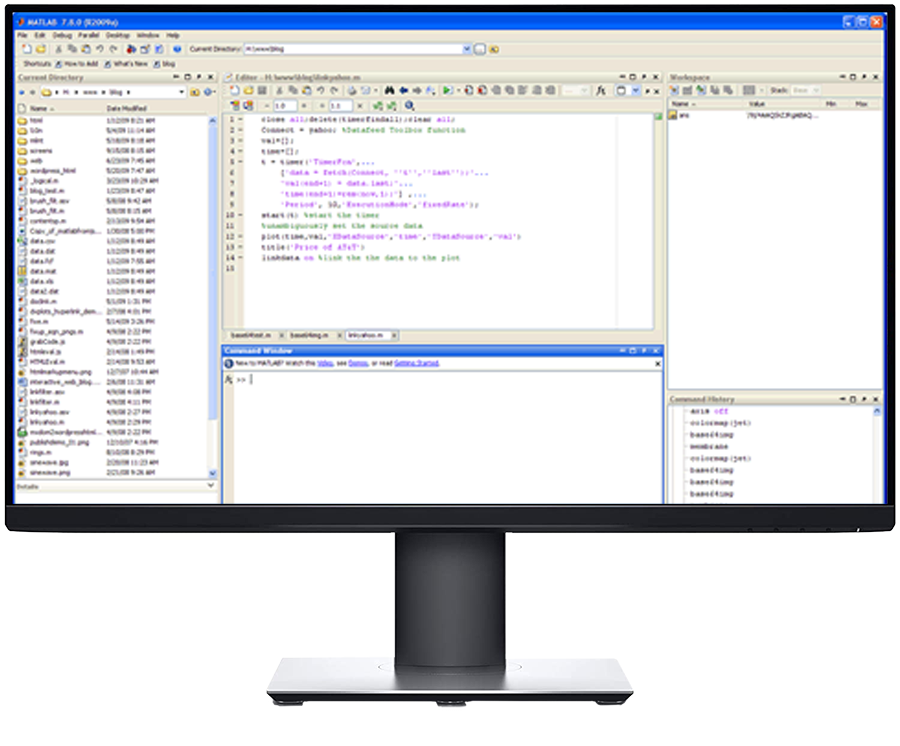
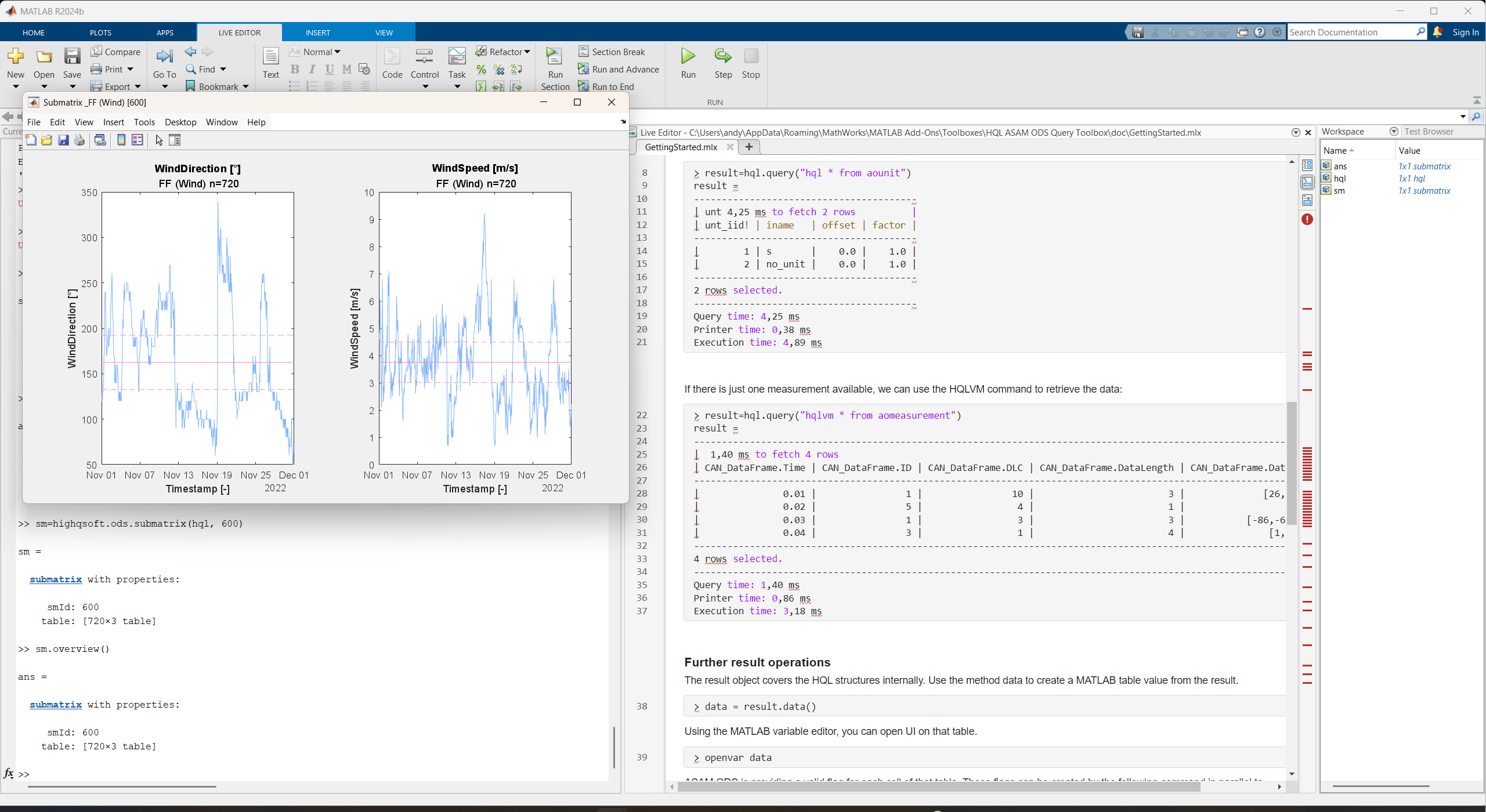
The MATLAB Client UI showing a directly loaded measurement.
Users can identify measurements in the web interface and then launch MATLAB from the same context. Measurements, selections, and individual channels can be loaded into the workspace, where the Variable Editor and MATLAB tools support efficient inspection and analysis without losing traceability to the source measurement.
Users can identify measurements in the web interface and then launch MATLAB from the same context. Measurements, selections, and even individual channels can be loaded into the workspace, where the Variable Editor and MATLAB tools provide an efficient environment for inspection and analysis.

Use ATFx for file based exchange and offline development workflows. The toolbox can load measurement metadata and referenced channel data into MATLAB for analysis and script validation, and results can be written back when your workflow requires file outputs.

Connect MATLAB directly to ASAM ODS databases for scalable, repeatable analysis. This is the preferred option for operational workflows, because MATLAB reads from the system of record and can write results back under the same access control and governance.

Move data and results between file based and database based workflows when needed. This supports practical scenarios such as developing scripts on ATFx files and then running the same logic against enterprise ASAM ODS systems, while keeping structures consistent for downstream processes.
Interactive analysis is only one part of test data management. In many environments, the same validation or analysis must be applied consistently to newly recorded data. With the ASAM ODS Toolbox for MATLAB and the Merlin Analysis Server, MATLAB scripts can be executed as part of an automated pipeline, triggered manually or by system events such as imports or notifications.
Engineers can upload scripts into a defined evaluation, and Merlin executes them on the corresponding input data. Results can be managed as part of the measurement, including new calculated values and channels, generated figures, and reports, which makes automated outcomes traceable and easy to reuse.
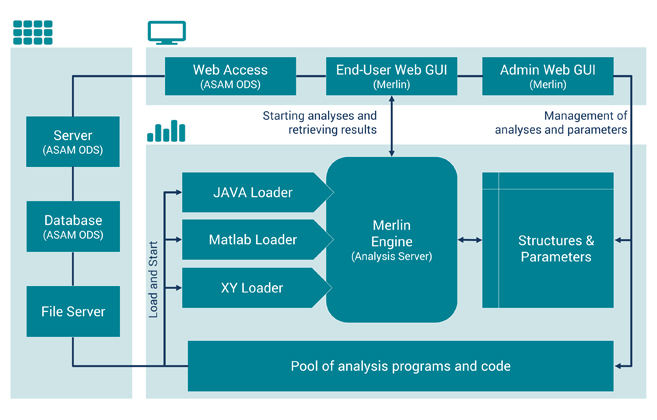
Schematical Illustration of the Merlin Analysis Dataflow


HighQSoft GmbH
Black-und-Decker-Straße 17b
D-65510 Idstein


