Merlin UI is an ASAMCommander module for launching, monitoring, and reviewing automated processing and analysis jobs on test data. Merlin/SAM is the backend that executes and orchestrates those jobs, while Merlin UI provides the web interface to manage templates and track job status and results.
Merlin UI is an ASAMCommander module for launching, monitoring, and reviewing automated processing and analysis jobs on test data. Merlin/SAM is the backend that executes and orchestrates those jobs, while Merlin UI provides the web interface to manage templates and track job status and results.

Define standardized workflows as reusable job templates with versioning and activation control. This enables repeatable execution of common analyses, maintenance routines, imports, and reporting jobs across teams.

Monitor job execution across the system and manage lifecycles directly in the UI. Filter by status and time, inspect details, and apply actions such as restart, pause, dismiss, or bookmarking.

Review job outputs in a structured way—such as generated artifacts and structured result payloads—alongside logs and notifications. Queue status, throughput, and utilization indicators support stable operation at scale.

Workflow Automation Manager for Merlin job templates (versioning, activation, and ownership).
The Workflow Manager provides a centralized overview of available Merlin job templates. It lists templates with activation status, version, tags, descriptions, and ownership information, so teams can manage reusable workflows in a controlled way.
Built-in filters and actions such as start, edit, and delete support day-to-day administration and standardized rollout of automated routines.
The Jobs Monitoring view shows all Merlin jobs in the system, including status, timestamps, and identifiers. Administrators use it to filter, inspect, and manage jobs—such as restarting or dismissing runs when needed.
A side panel summarizes queue state, completed jobs, and overall utilization to support operational oversight. Engineers can access their own jobs via bookmarks to return to results and logs without scanning the full system list.
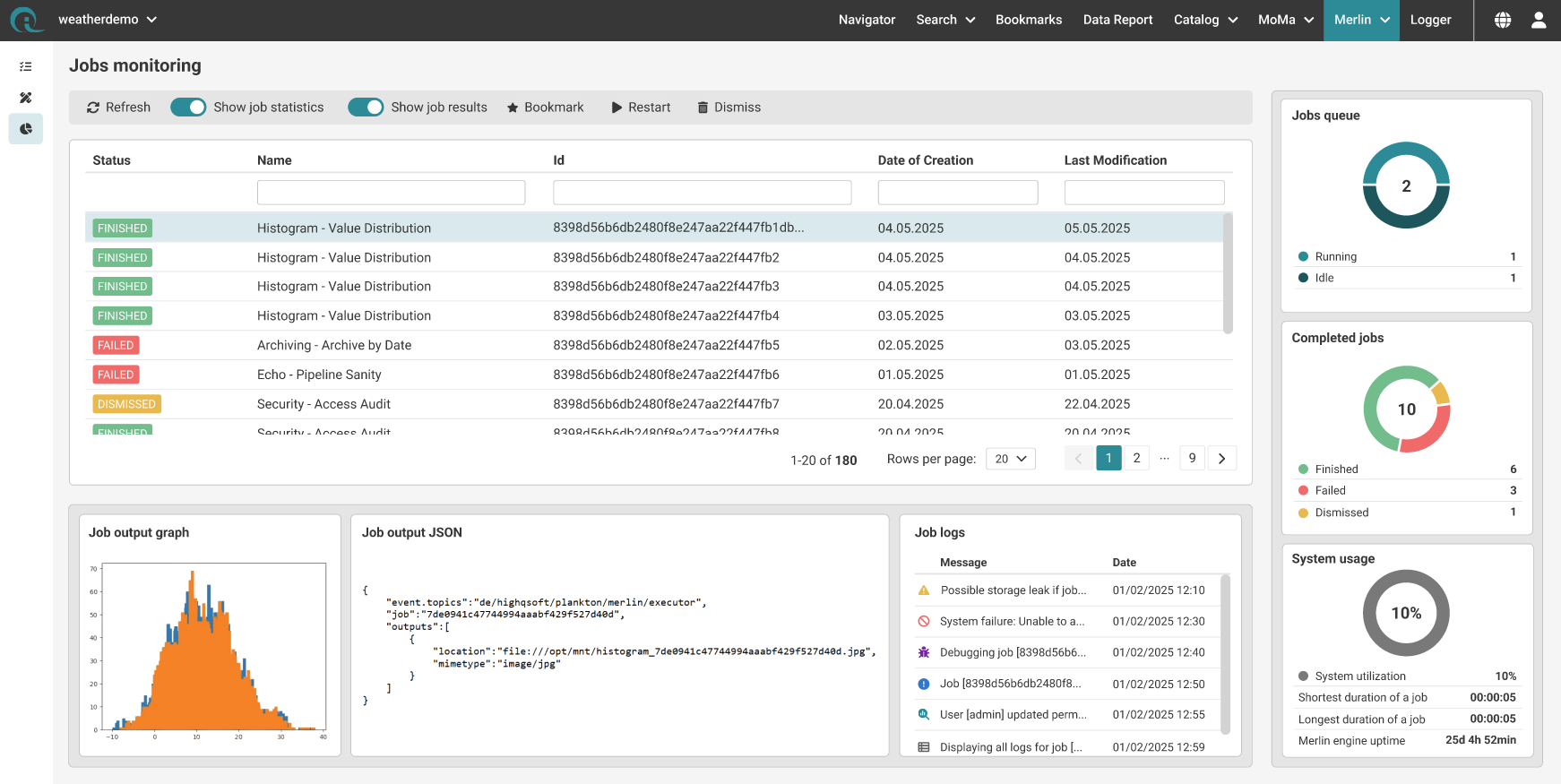
Job Monitoring for Administrators (also available for Engineers via Bookmarks)
HighQSoft GmbH
Black-und-Decker-Straße 17b
D-65510 Idstein


