Test Data Automation | Page: 4 of 4 | Previous: Page 3: Merlin, the ASAM ODS Analysis Automation Layer
The engineer writes one function; the platform supplies the rest. A Python KPI calculation becomes an ASAM ODS analysis job in Merlin Analysis Server through that function and a JSON description of the stages around it. The example on this page is a lap KPI job on racing simulator data, Lap-KPIs version 1.0.0. For every lap of an event, it computes speed, distance, g-force and driver input KPIs, then finds the event bests and writes both back into ASAM ODS. Newer versions of the job exist; this page shows version 1.0.0 throughout.
First, adapt the inputs and outputs. In the decorator form used here, a function marked @map, or @reduce when a calculation combines several measurements, takes a pandas DataFrame from the previous stage plus the stage's parameters, and returns a DataFrame. This is the stage contract page 2 described. The KPI arithmetic itself stays as written; the function around it reads the identifiers it needs from the frame, calls the arithmetic and packs each result as a row. A lower-level form also exists, a bare function named for the stage type such as def map(resultset, params), which receives a ResultSet and converts it explicitly.
Then the script registers itself, and JSON describes the job. A script placed in the platform's scripts folder is picked up and referenced by filename. The job is a JSON document with a type, a version and a stages array; each stage names its type (select, map, reduce, group, aggregate or collect), its function, and inputs supplied at start, fixed args, or both. Functions are HQL statements, built-ins such as partition, or registered scripts; the read and store stages come with the platform.
Then the job runs like any other. An administrator sets up the description as a versioned job template in the Merlin UI module of ASAMCommander, and engineers start it from there. A job can also start on a schedule, through the REST API or when an upstream job completes, and every start leaves the same record. The event a KPI script once had to be pointed at by hand is now a job input, the EventId the form asks for.
One job computes KPIs for every lap of an event. The form of this ASAM ODS analysis job asks for a single input, the EventId. An hqlinsert stage creates a parameterset on the Event for the event bests and carries its id on as eventSetId. An hql stage then finds the motion and driver_inputs submatrices of every lap of that event, one row per lap and submatrix, and a partition stage makes each row its own unit of work. Per row, a second hqlinsert creates a parameterset on the lap, carried on as lapSetId, and an hqlvm stage reads that one submatrix for lap_kpis.py. Every parameterset is named Lap-KPIs v1.0.0 and labelled with a free-form MIME type the team chose.
The Lap-KPIs 1.0.0 job description, from the EventId form to the parameters written back into ASAM ODS.
{
  "type": "Lap-KPIs",
  "description": "Compute KPIs for every lap of an event and the event bests, based on given Event Id",
  "tags": [
    "analysis",
    "statistics"
  ],
  "version": "1.0.0",
  "stages": [
    {
      "type": "select",
      "function": "form",
      "inputs": [
        "EventId"
      ]
    },
    {
      "description": "Create AoParameterSet attached to the Event for the event bests",
      "type": "map",
      "function": "hql",
      "args": [
        "hqlinsert id as eventSetId values(name='Lap-KPIs v1.0.0', mime_type='application/x-asam.aoparameterset.result') refto Event on id=${EventId} into AoParameterSet",
        "AppendSelector"
      ]
    },
    {
      "description": "Find motion and driver_inputs submatrix of every lap of the Event, one row per lap and submatrix",
      "type": "map",
      "function": "hql",
      "args": [
        "hql Lap.lap_id as lapId, Lap.lap_name as lapName, Submatrix.id as smId, Submatrix.name as smName from Submatrix where Event.event_id = ${EventId} and (Submatrix.name = 'motion' or Submatrix.name = 'driver_inputs') join Submatrix to Lap via measurement, Lap to Session via Session, Session to Event via Event",
        "AppendSelector"
      ]
    },
    {
      "type": "collect",
      "function": "stdout"
    },
    {
      "description": "Partition rows. Each lap and submatrix should be in one ResultSet.",
      "type": "group",
      "function": "partition",
      "args": [
        "1"
      ]
    },
    {
      "description": "Create AoParameterSet attached to the Lap, one per submatrix",
      "type": "map",
      "function": "hql",
      "args": [
        "hqlinsert id as lapSetId values(name='Lap-KPIs v1.0.0', mime_type='application/x-asam.aoparameterset.result') refto AoMeasurement on id=${lapId} into AoParameterSet",
        "AppendSelector"
      ]
    },
    {
      "description": "Read one submatrix only",
      "type": "map",
      "function": "hql",
      "args": [
        "hqlvm * from AoSubMatrix where AoSubMatrix.id = ${smId}",
        "AppendSelector"
      ]
    },
    {
      "type": "map",
      "function": "lap_kpis.py"
    },
    {
      "type": "aggregate",
      "function": "combine",
      "args": [
        "parameter_name",
        "parameter_value",
        "parameter_datatype",
        "parameter_set",
        "event_set",
        "lap_id",
        "lap_name"
      ]
    },
    {
      "type": "map",
      "function": "event_kpis.py"
    },
    {
      "type": "collect",
      "function": "stdout",
      "args": [
        "Lap and event KPIs",
        "200"
      ]
    },
    {
      "description": "Store Parameters attached to ParameterSet",
      "type": "map",
      "function": "hql",
      "args": [
        "hqlinsert name as parameter_name, pvalue as parameter_value values(name=${parameter_name}, pvalue=${parameter_value}, parameter_datatype=${parameter_datatype}, parameter_set=${parameter_set}) into AoParameter"
      ]
    },
    {
      "type": "collect",
      "function": "stdout"
    }
  ]
}
The KPIs are a few lines of pandas. lap_kpis.py first looks at which submatrix it received. From motion it computes top, average and minimum speed, distance, peak lateral g and peak braking g. From driver_inputs it computes the shares of full throttle, braking and coasting, the number of gear changes and the steering work. Each sample counts for the time until the next one, so averages and shares are weighted by time, not by sample count. The rest of the function is the adapter. It reads the ids it needs from the frame and returns one row per KPI with a name, a value, an ASAM ODS data type and the target parameterset, plus the lap and event ids.
The hand-written stage lap_kpis.py, a decorator-form map function that computes the KPIs of one lap from one submatrix.
# Lap-KPIs v1.0.0: KPIs of one lap, computed from one submatrix (motion or driver_inputs)
from pyplankton.remotestage.functions import map
from pyplankton import RequestParameters
from pandas import DataFrame

# pedal thresholds (pedals run 0..1)
FULL_THROTTLE = 0.999
PEDAL_OFF = 0.01


def get_info_from_df(df, col):
    return str(df[col].iloc[0]) \
        .replace("b'", "") \
        .replace("'", "")


def durations(time):
    # each sample lasts until the next one, the last sample gets the typical step (t is in seconds)
    dt = time.diff().shift(-1)
    return dt.fillna(dt.median())


def motion_kpis(data):
    dt = durations(data["t"])
    speed = data["speedKmh"]
    return [
        ("top_speed_kmh",  round(speed.max(), 2),                         "DT_DOUBLE"),
        ("avg_speed_kmh",  round((speed * dt).sum() / dt.sum(), 2),       "DT_DOUBLE"),
        ("min_speed_kmh",  round(speed.min(), 2),                         "DT_DOUBLE"),
        ("distance_m",     round((speed / 3.6 * dt).sum(), 1),            "DT_DOUBLE"),
        # accG_x is lateral, accG_z longitudinal (negative while braking)
        ("peak_lateral_g", round(data["accG_x"].abs().max(), 3),          "DT_DOUBLE"),
        ("peak_braking_g", round(max(0.0, -data["accG_z"].min()), 3),     "DT_DOUBLE"),
    ]


def driver_kpis(data):
    dt = durations(data["t"])
    total = dt.sum()
    gas, brake, gear = data["gas"], data["brake"], data["gear"]
    return [
        ("full_throttle_pct", round(dt[gas >= FULL_THROTTLE].sum() / total * 100, 2),                        "DT_DOUBLE"),
        ("braking_pct",       round(dt[brake > PEDAL_OFF].sum() / total * 100, 2),                           "DT_DOUBLE"),
        ("coasting_pct",      round(dt[(gas < PEDAL_OFF) & (brake <= PEDAL_OFF)].sum() / total * 100, 2),    "DT_DOUBLE"),
        ("gear_changes",      int((gear.diff().fillna(0) != 0).sum()),                                       "DT_LONGLONG"),
        ("steering_work_deg", round(data["Steer"].diff().abs().sum(), 1),                                    "DT_DOUBLE"),
    ]


KPIS = {"motion": motion_kpis, "driver_inputs": driver_kpis}


@map
def lap_kpis(data: DataFrame, params: RequestParameters):
    print(data)
    print(params)
    print("-----")

    sm_name = get_info_from_df(data, "smName")
    if sm_name not in KPIS:
        raise ValueError(f"No KPIs defined for submatrix '{sm_name}'")

    # lap and event ids travel along as AppendSelector columns
    lap_set = get_info_from_df(data, "lapSetId")
    event_set = get_info_from_df(data, "eventSetId")
    lap_id = get_info_from_df(data, "lapId")
    lap_name = get_info_from_df(data, "lapName")

    # values go out as text, so pandas cannot turn an integer KPI into 112.0 next to the floats
    rows = [(name, str(value), datatype, lap_set, event_set, lap_id, lap_name)
            for name, value, datatype in KPIS[sm_name](data)]
    output = DataFrame(rows, columns=["parameter_name", "parameter_value", "parameter_datatype", "parameter_set",
                                      "event_set", "lap_id", "lap_name"])
    print(output)

    return output
A second stage finds the event bests. Before it runs, the combine aggregate brings the rows of every lap back into one frame. event_kpis.py, the job's other hand-written stage, counts the laps evaluated. For top speed, average speed, peak lateral g, peak braking g and full throttle it picks the highest value, and for coasting the lowest. Each best is stored together with the name and id of the lap it came from. Partial laps, such as an out lap or a last lap cut off, count only when an event has no complete lap. The lap parameters pass through unchanged, and the event bests are appended under the event's parameterset.
The results land where every tool finds them. The last hqlinsert writes every row as an AoParameter under its parameterset, the lap KPIs on each lap and the event bests on the Event in a standardized place the next tool already knows how to find. The three stdout collects only print diagnostics. On its first server run, the job wrote a parameterset per lap and submatrix and an event parameterset with 19 parameters. A job can also run as a stage of another job, a composition pattern in production today, so the same KPI job can sit behind an import. Where the import runs outside Merlin, events the ODS server raises when data changes can start it instead.
An AI coding assistant wrote this job on request. Claude, working as a coding assistant, wrote this ASAM ODS analysis job, its description and both hand-written stages, at our request in October 2026. The job was tested locally on data exported from one event, where its 85 rows were cross-checked against an existing job, and then run and verified on the server. This is a practice available today with tools teams already have, not a feature inside Merlin. The work suits an assistant because it applies a documented contract rather than inventing one, with an adapter, a declarative stage array over platform functions, and KPI arithmetic of one line each.
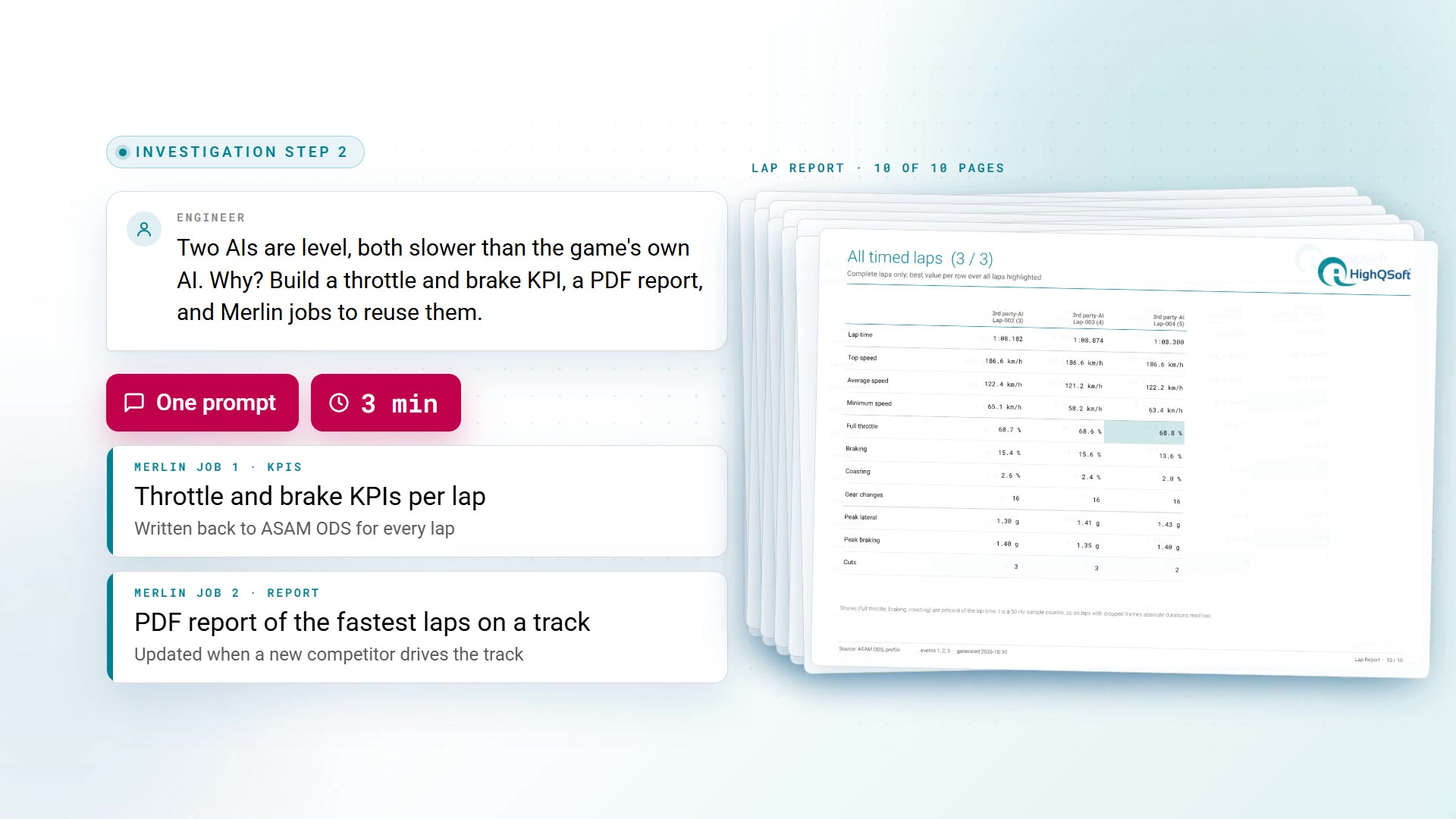
Investigation Step 2: Two Merlin Jobs for KPIs and a Lap Report / ASAM ODS Analysis Job
The engineer still owns the analysis. What the assistant produced is reviewable code against a known stage contract, two functions of 76 and 64 lines and a job description whose other stages are platform functions. Every KPI definition sits in plain sight, from the pedal thresholds to the time weighting, so an engineer can read it, question it and change it before the job runs on a program's data. Once results land as labelled parametersets, HighQSoft's MCP Server lets engineers query them in natural language, connecting Claude, ChatGPT or your own agents to the measurements.
The lap KPI job on this page is part of HighQSoft's analysis case on racing simulator data in ASAM ODS. An AI working through the MCP Server goes from a live dashboard to two Merlin jobs, the KPIs and a lap report, and on to the root cause, a tire grip factor of 1.2. The film shows it step by step; the news and the field report explain why the standard makes it work.
Bring the check your team runs by hand, and HighQSoft will walk through moving it behind your import, on your own data, to the first queryable verdict.
Automotive OEMs, test service providers, and testing laboratories run HighQSoft's ASAM ODS platform in production, across automotive, maritime, and battery testing.
HighQSoft has built on the ASAM ODS standard for more than 25 years, combining that history with production-proven automation and AI-assisted access. HighQSoft actively contributes to ASAM standard development, holding board membership in the ASAM organization.
HighQSoft GmbH
Black-und-Decker-Straße 17b
D-65510 Idstein
You are currently viewing a placeholder content from Facebook. To access the actual content, click the button below. Please note that doing so will share data with third-party providers.
More InformationYou are currently viewing a placeholder content from Instagram. To access the actual content, click the button below. Please note that doing so will share data with third-party providers.
More InformationYou need to load content from hCaptcha to submit the form. Please note that doing so will share data with third-party providers.
More InformationYou need to load content from reCAPTCHA to submit the form. Please note that doing so will share data with third-party providers.
More InformationYou are currently viewing a placeholder content from Turnstile. To access the actual content, click the button below. Please note that doing so will share data with third-party providers.
More InformationYou are currently viewing a placeholder content from X. To access the actual content, click the button below. Please note that doing so will share data with third-party providers.
More Information


